

Help › Matching
Review, approve and finalize
Approve, edit or reject AI suggestions
Each AI suggestion shows AI suggestion — needs approval. You can:
- Approve it as suggested (
a). - Choose someone else — any person, or one of the alternatives with one click.
- Split it, apply it to a charge, add a note, or mark it not a payment.
- Reject it (
d): it goes back to our own matching, and the same suggestion for that payer and person is never made again.
Every decision is recorded: who, when, what the AI suggested and the final choice ("Approved by Maria Lopez on Oct 24", "AI suggestion edited by…"). Accept all high confidence leaves AI suggestions out unless you tick Include AI suggestions.
Finalize
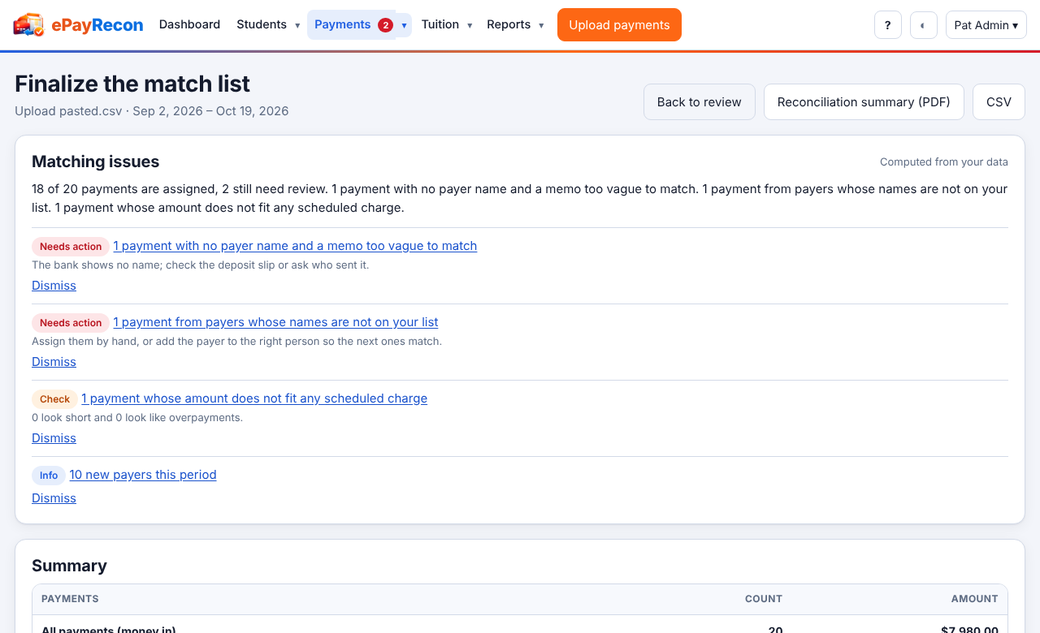
- Open Finalize… from the review screen or an upload.
- Check the summary: payments and amounts by how they were matched, splits, ignored, and anything still pending.
- When nothing is pending, press Finalize.
Finalizing locks those assignments: no screen can change them, and the statement totals for the period stay put. The Reconciliation summary (PDF or CSV) is your record. An Admin or Owner can reopen a list with a reason; the history of finalizing and reopening is kept.
Still stuck? Contact us.